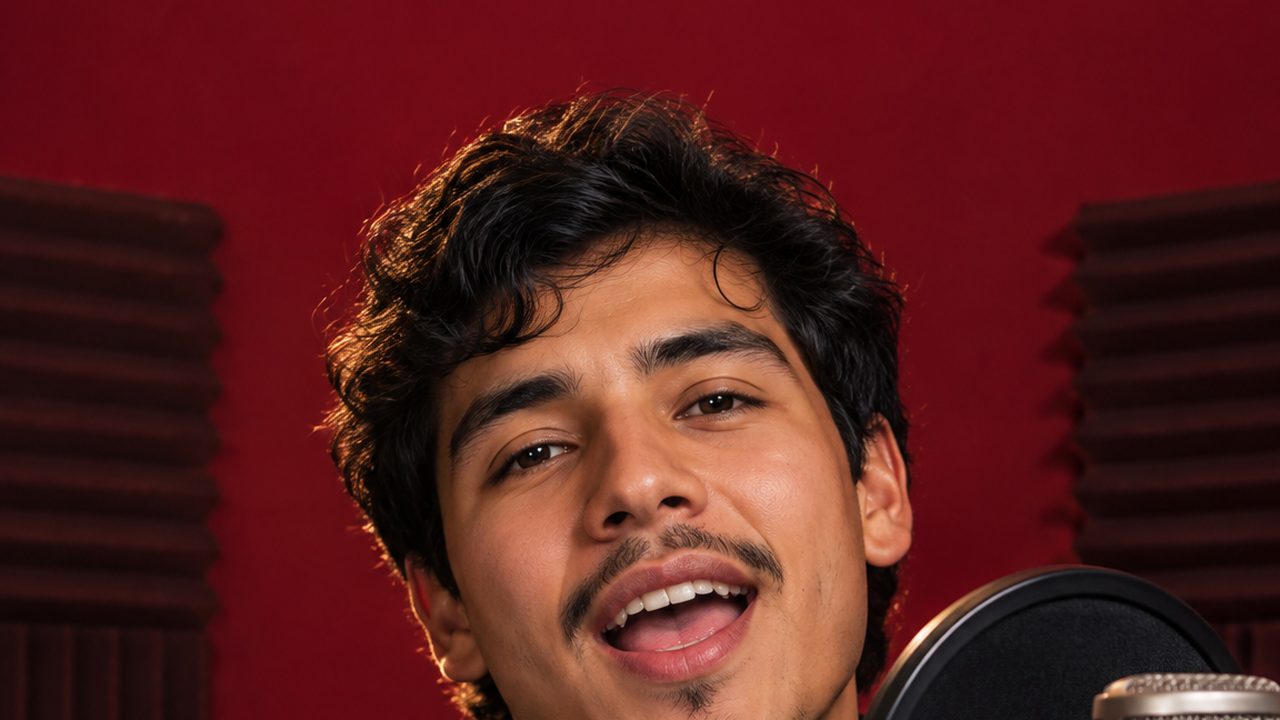
The best photo for an AI rap video is one sharp, well-lit picture of one person (or one dog or cat), facing the camera with the whole face visible (mouth included), at least 300 pixels on each side: a selfie or a head-and-shoulders shot works best. On GetRapVideo, the AI uses that photo as the look of the rapper (face, hair, skin tone and outfit) and makes them rap 15 seconds of your song to the camera in a recording booth, lip-synced. The photo decides how much the rapper looks like the real person, so it is worth a minute to pick the right one.
Why the photo matters more for rap than for other effects
A rap video is a close-up of a talking face. The camera stays at a medium close-up, the mouth moves on every word, and the head nods on the beat. That means:
- The mouth must be visible and natural. The AI rebuilds how the lips move from your photo. A hand, a mic, a straw or a big grin with the teeth clenched gives it less to work with.
- The face is large in the frame. Any blur or heavy filter in the photo shows up at that size.
- The outfit carries over. What the person wears in the photo is what they wear in the booth. A hoodie, a chain or a cap from the photo will be there.
Photos that work
- One person or one pet. One face raps per video.
- Face fully visible. Eyes open, mouth visible, no sunglasses, mask or hair across the face.
- Facing the camera or close to it. A slight turn is fine; a side profile is not.
- Neutral or relaxed expression. A closed-mouth smile or a calm face lets the AI shape every word. A wide-open laugh can make some lines look stiff.
- Good light. Daylight from a window or outside in the shade is ideal.
- Head-and-shoulders or half-body framing. The face should fill a good part of the picture.
- The look you want on camera. Pick the photo with the outfit you would wear in a music video.
Photos that often fail or look off
| Photo | What tends to happen | Better choice |
|---|---|---|
| Group photo | Only one person raps; the face may come from the wrong one | A solo photo, or crop to one person |
| Tiny face in a wide shot | Lips and eyes lose detail; the face may not look like them | A closer photo, head and shoulders |
| Hand, phone or drink near the mouth | Mouth shapes are guessed and can look wrong | A photo with the whole mouth visible |
| Dark, backlit or night photo | Muddy skin, wrong features | A daylight photo |
| Beauty filter, cartoon or anime style | The video copies the filter or drifts from the real face | An unfiltered original |
| Sunglasses, mask or a hat over the eyes | Eyes and mouth are guessed | A photo with eyes and mouth visible |
| Screenshot or a crop of a crop | Too few pixels; refused under 300 px on a side | The original file from the camera roll |
| Side profile or looking down | The face is rebuilt from too little information | A front-facing photo |
Photos you may not use
- Real rappers, celebrities and public figures. Not allowed, even as a joke.
- Other people without their agreement. Only upload yourself or an adult who said yes. Even for a surprise gift, the person in the photo should be fine with it being used.
- Minors. No photos of children or teenagers.
You confirm you have the right to use the photo before you upload it. The full rules are in the Acceptable Use Policy.
Pet photos: dogs and cats
Pets work too. In our test, a golden retriever photo stayed a dog in the video and rapped in the booth with its own mouth. What helps:
- One animal, face toward the camera, eyes and muzzle clearly visible.
- At the pet's eye level, not shot from far above.
- Sitting or lying still, in daylight, not a blurry action shot.
- Dogs and cats with a clear face are what we support. Other animals are not tested.
A pet rap is great with the comedy or funny vibe: write the lyrics from the pet's point of view ("Who's rapping?" = the pet's name).
Formats and sizes
- Formats: JPG, PNG, WebP and iPhone HEIC.
- Minimum size: 300 pixels on each side. Smaller photos are refused before you pay.
- Large photos are resized for you; no need to shrink them.
- Portrait or square photos are both fine. The video always comes out vertical 9:16.
The song matters too
A great photo cannot fix a mumbled line. The clearest lip-sync comes from lines with clear words and a steady flow, which is why the chorus is often the best 15 seconds to pick. Very fast or crowded lines can look slightly less precise. Tips for writing lines that rap well are in tips for better AI rap lyrics.
Quick checklist before you upload
- One person (or one pet) in the picture?
- Can you see both eyes and the whole mouth?
- Is the face lit from the front, not from behind?
- Is it sharp when you zoom in on the eyes?
- For a person: do you have their OK, and are they an adult?
If all five are yes, you are ready. The full walkthrough is how to make an AI rap video. Each video is $9.90, and if one fails, its credits come back automatically.
FAQ
Can I use a group photo?
Only if you crop it to one person first. One person raps per video, and with several faces the AI may pick the wrong one.
Can I use a photo of a celebrity or a famous rapper?
No. Real rappers, celebrities and public figures are not allowed, and neither are their voices.
Can I make my dog or cat rap?
Yes. Use one clear photo of one dog or cat with its face toward the camera. The pet stays a pet and raps with its own mouth.
Does the background of my photo matter?
Not much. The person is placed in a recording booth, so the photo's background does not appear. Light and sharpness on the face matter far more.
What if the face does not look right?
Try a sharper, front-facing photo with even light and the mouth fully visible. If a video fails, its credits come back automatically.
AI Rap Video Generator guides
- What Is an AI Rap Video? Trends, Types and How to Make One (2026)
- How to Make an AI Rap Video from One Photo (3 Steps, 2026)
- Is There a Free AI Rap Video Generator? The Honest Answer (2026)
- AI Rap Song Generator: Make a Full Rap Song Free, Then a Video (2026)
- AI Rap Lyrics: 8 Tips for Better Bars, with Simple Examples (2026)
- Hotel Lobby AI Rap Trend Explained + an Original-Song Alternative (2026)
- Higgsfield Rap God Alternative: An Honest Comparison (2026)
- AI Rap Battle Video: How to Make Two Friends Roast Each Other (2026)
- Personalized Christmas Rap Video: An AI Gift in Minutes (2026)